
All posts by TravelGypSea

Travel photojournalist that focuses on budget traveling, living abroad, solo travel, cultural tourism, and having a good time.

A Little Knotty: The Correlation of Comfort and Cost.

This section will be a bit shorter since there are many variables that have to be considered, not limited to the length of the boat, where you want to live/keep the boat, and how much work needs to be done on it.

Living on a boat has its benefits. This includes the financial standpoint. The cheapest form of storage on a boat is to anchor it offshore.  In most areas, this is free, and if you have water tanks and a working alternator to keep the batteries charged, you should be able to stay like this for some time.

When buying a boat, remember, this is going to be your home, and there are many different sizes and layouts to boats. Here are a couple different types as examples – Irwin, Catalina, Beneteau, Formosa, and Hunter.  Each boat is different and will have a different price tag associated.  Websites such as sailboatdata.com offer design layouts of the interior of the ship. You can look on that site as well as sites like sailboattrader.com to research prices of boats for sale by the owner. Another option is to look into local boat brokers, and if you want to buy new, contact the company of the boat directly. On this last note however, I will offer the tip that the saying “they don’t build them like they used to” also applies to some boat manufacturers. Our Irwin is from the 1970’s and has a hall 2” thick, which provides insulation and would protect us if we were to hit anything in the water. Newer vessels have thin fiberglass halls. It is rare to hit something out in the ocean, but there are stories from friends of damage done to their boat by whales, and shipping containers that have fallen off cargo ships. As I said, this is very rare, but something to think about while searching.

Where boats start to cost money regularly is when they are at dock or on the hard.  In this instance, we go with the old stand-by ‘location, location, location’.

To begin with hunting down a good place to store your boat, remember this question “Do you allow live-aboards?” Some marinas (both with docks and dry storage) intend owners to leave their weekender, and not to have people living on the boat at the marina.  Asking this question before hand will eliminate headaches later.

The only times that you will want your boat landlocked and out of the water will be when you need to do work on it. This could take some shopping around if you would still like to live on it while you are out of the water. Dry-docks that allow live-aboards are dwindling. Don’t be surprised if it is necessary to travel to find one.  Depending on the work that needs to be done, you may be able to get the boat back in the water quickly. Long term storage would be something to consider during hurricane/cyclone season, when it is safer to strap the boat down.

Marinas offer the convenience of taking the boat out when you feel like it, and being able to come back to civilization. Most live aboard friendly marinas are located within a reasonable distance to town, and offer facilities such as washing/drying machines, lounges with TV, Internet, and electricity specifically for your boat.  Prices at the marinas vary based on amenities offered, and their location. A marina in Miami that caters to 100 ft mega yachts is going to charge more than a marina that normally takes day sailors and fishing boats. Research the area you would like to live in and call homeport. If talking to the marina and they say “we don’t take live-aboards here” ask “is there somewhere else you can recommend?” and ask other sailors; the sailing community is small.

A Little Knotty: Discover Sailing

032912140345

It’s the idea of pure freedom. The idea that, when you don’t like your neighbors, you can untie lines and move – taking your whole house with you. There is the powerboat lifestyle, zipping to the next destination quickly, and the sailboat lifestyle, where time and petrol don’t set the limitations to what you do.

While I don’t have much experience on powerboats, (or motor vessel if you prefer) I can put in my opinion about the sailboat. Sailing was the first form of long distance travel that wasn’t walking. Look at the Polynesians, settling from Hawaii to Easter Island to New Zealand, guided by stars and the waves. There’s still something majestic about being able to shut off all power, and be propelled by the wind in the unfurled sails. It’s the same force that has been around for 4 billion years, unchanged, and harnessable.

Don’t be swayed to the roar of an engine if you’re largest concern is not knowing how to sail. If you live by a coast, then there is a good chance that there is a sailing center or sailing club that may offer lessons. In the states that are land-locked, it is harder to take a drive to any facility that may offer some good advice, yet there is a good chance that if there is a decent lake, there will be a sailing community near by.  Check it out now, don’t wait till your retired. Mum and dad exposed us early to that lifestyle and it became one of the best things I have ever done.

In either instance, a good hands-on approach would be to charter a boat.

Boat chartering is becoming a popular form of vacationing. From a boat owner standpoint, it gives you a taste of the lifestyle without the overhead; the destinations are vast, from the Bahamas to Mexico to the Mediterranean, charters are available. Many times you are required to take a sailing lesson on the boat the first few days you are chartering. Read the fine print of the chartering company, find out what you can/cannot do with the charter. Understandably, there are limitations when chartering trough most brokers. (e.g. Must have taken a sailing class before chartering, cannot enter international waters without prior notice, ext.)

Lets say that the short term isn’t for you. That you have thought long about the thrill of the open ocean and want to get away from that ‘land lubber’ lifestyle, and want to jump into buying a boat.

If you want to go headlong into the boating lifestyle, I will give you a very useful tip – be willing to put in work. Buying a boat just after hurricane/cyclone season that has slight damage, and you are willing to put in the tender love and care, you can find a decent boat for a good price. Also look at marinas that offer dry storage. Boats that have been put on ‘the hard’ (the term for dry storage) and were forgotten for many years and abandoned over the years are sometimes put up for sale by the marina to compensate their losses.  These boats are the lost boys from peter pan, they just need some TLC and an extra coat of varnish (and maybe a new bilge pump, and some engine work, and a fresh coat of bottom paint, and some new sails…. You get the idea). They range from the slightly neglected to the highly abused, so it depends on how much work you are willing to put in/pay for.

Also research types of boats and ‘sample’ what they look like down in the cabin. Boats have different layouts like houses. Some have the strange passageways that you have to go outside to get to the next room, some have large living quarters, others have bunk-bed style births.

When we were looking for a boat, we had very basic requirements; mum wanted a bathtub, wide decks (for the sake of her many broken toes) and a larger Galley (dubbed the 2-butt galley, so we could fit more than one bum in the area at a time). Dad required a ketch rig and a large cockpit. After Hurricane Floyd, a friend of a friend had had some damage to their Irwin, which is what we had bought. The mast had snapped in the high winds. My father knew how to repair the damage, which made it the perfect boat for us.

Till next time – Bon Voyage!

A Little Knotty: An Introductory Guide to Living on a Boat

The waves lapping against the hull as the sailboat gently sways from side to side, the light wind causing the halyards to clang against the mast with an audible “trrriiiinnng, trrriiinnnng”, and the cool salt air cuts the heat of a warm summer night. As the quiet surrounds you, the faint crunching of sea life eating the growth under the boat echoes through the cabin.

It could be the opening to a great adventure/romance novel; in this case it’s how I grew up. 

Moving onto the boat was easy; I was 5 with two siblings and my parents, and the idea and opportunity were conveniently presented to our family. 

When we first moved onto my fathers’ 32’ weekend project boat, my parents feared we would not like living on the boat. This potential problem was put to ease during family ‘powwows’ in which they would check in with us after a day, a week, a month, then at one year we would look for a bigger boat. If we decided we didn’t want to live onboard, we would look on land. It took us a while to find the perfect family boat. After four years, and the promise of pets later, we were living nicely on a 42’ Irwin with 2 cats, a dog, and a fish named “Skippy” after the peanut butter jar we kept him in. 

The live-aboard lifestyle suited us. 

My brother, would don an eye-patch and his plastic sword, running the length of the dock to proclaim himself a pirate, my sister would race optimist sailing dinghy’s (tied for first in the junior Olympics one year), and I would sit on the bowsprit and write. We were homeschooled, which gave our family flexibility in traveling, but were granted many opportunities because of it. The first argument about homeschooling I hear is about being ‘anti-social’ and unable to relate to people. While I have met the occasional person who fits this stereotype, it is just that, a stereotype. We were always moving, I don’t believe that we ever stayed in one place for more than two years, and having this mobility allowed us to meet many people, not just a couple. We learned how to be friends with adults, and communicate on an adult level at a young age. We would have family nights, watching movies our 14” television, since we didn’t have cable. We would communicate by email, and my father had a pager for work until I was 9, when we got the first family cell phone. (Remember the time when cellphones didn’t have any graphics? They were just for calling, and if you were lucky, texting.) Our family became very close. The whole boat was the size of some living rooms and we had to learn to get along. Some of my land friends hardly saw their family together in the same day. 

As we would travel, we would meet other kids our age, also homeschooled and living on the boat, and we became our own community. We would switch off meeting at each others boat to do our homework; if we were the same grade we would help each other, and when a problem was too hard, we would ask one of the older siblings for help. We would meet people from Germany who would help us learn a little German, or from Quebec that would teach us a little French. When we arrived in the Bahamas, my mother distributed homework according to our age. My older sister interviewed a customs officer and had to write a research paper about the policies of the Bahamas, I wrote a shorter paper on the culture, and my younger brother had to do a project on the geography. We were always incorporating the location we were currently at into our studies. Taking field trips to the power plant, orange juice plant, or a tour of the St. Augustine fort would become homework assignments. Every year the Florida Homeschoolers Association would host a convention where curriculum vendors would sell textbooks and work books, lectures on teaching would be given to parents, and a graduation ceremony was given to the students who had completed their high school while homeschooling. This growing community was not just boaters, though the years that we attended this, we would be with our cruising buddies.  

Learning how to navigate using the sun, stars and a sextant, doing biology by dissecting a fish – while you were fileting it for dinner, and we didn’t have ‘home ec’ since we were expected to help with cooking meals and sewing, on top of washing the decks, filling the water tanks, and occasionally teak work and scrubbing the bottom of the boat. This was normal to us.

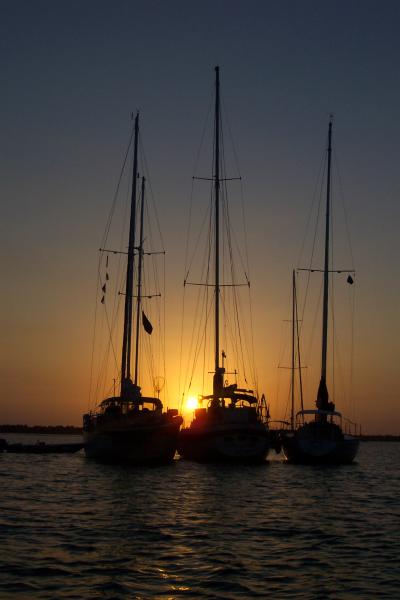
Most of the time we were at dock, plugged into power with small AC units fighting the Florida heat, and the convenience of being close to civilization. But when we were sailing from harbor to harbor, we had our dinghy to shuttle us to shore, solar panels and wind generators to power the fridge, water pump and lights, and if you wanted, you could go into shore for food and supplies. the rest was simple.  You sailed on when you didn’t like your neighbors. Kept in contact with your friends to meet up with them again.  And most importantly, enjoyed the little things, sunsets, 360 degrees of oceanfront property, being out of sight of land and seeing so many stars you cannot tell the constellations, and having those moments where all you hear is the lap of the ocean, and you know you’re home.  

How? You may ask. Where do I start? How much will it cost? Where will I live? Will we still have communication with the rest of the world? What do I look for in sailing communities that I cant find in my neighborhood?

I will warn you, there are no perfect answers. I will try to find solutions that will fit the most diverse of lifestyles, and guide where I can. I grew up on a sailboat, so that is where most of my information and advice will come from. That is why I wrote this intro; for you to see a little more of my background.  I studied anthropology, so now I look back in more of a cultural context point of view, and see it different then many other modern western-culture lifestyles.

This is just the first of a series of articles that I hope will inspire you to consider this culture, this way of life on the ocean.

Travel tools revisited

While I went through numerous travel apps that can help prepare you for a trip, I found a few more apps that may be of use while traveling.

I am slightly obsessed with the fact that my tablet has GPS, and since living everywhere from the boat to the mountains, know just how valuable that can be. This got me thinking “gee, there must be something out there that can use the GPS system to make my tablet into the super-travel-tool, that does EVERYTHING.” With that, I downloaded bout 50 more apps and started to weed out the weak.

1. Swiss Army Knife (Digital & Dreams)

This may not open your can of beans by the fire, or pop the top to that beer, but it does have a number of handy tools. (As an Archaeologist, I cant help but get excited with a couple of these. To me this is the Jarvis to my Stark, the R2D2 to my Luke, the Hal to my Dave… well, maybe not Hal.)

Flashlight – Can use the flash if available. If not, then the screen will lighten, and you can choose from a variety of colours. (Tip: Red will preserve your night vision.)

Unit Converter – Just that. Can convert Miles to Km, Lbs to kg, and a number of other functions.

Timer – Counts down. If your timing a rocket launch, timing 15 minutes for a nap before your next bus, or simply cooking in the hostel kitchen, this could come in handy.

Stopwatch – Counts up. Time how long it took to get from the train station, so you can plan how long it may take to get back.

Compass – Great for when the reply to “how do I get there?” is “Go west”.  You have to “sinc” the Compass to north though, pointing your tablet to north when you start it, then it will be good to go.

Bubble Level – set your tablet on a surface and it will tell you if it slopes. It contains a circular level, and two bar levels.

Calculator – Sin, cos, and tan included. From addition to taking the log, it does it all.

Mirror – Uses the front facing camera.

Ruler – Can be calibrated for the most accurate scaling.

All in all, this is a fantastic tool. From camping to archaeological expiditions, you can find a use for any and all the apps.

2. Travel Altimiter lite (Orange Group apps)

Going hiking this weekend? Wondering the elevation? This app gives you the basics, your altitude and GPS coordinates. Nothing super fancy, but it can answer that question when climbing a mountain.

3. Simple translator pro: How Do You Say? (Translator) (DPs World)

Great for figuring out short words or phrases. With 35 different languages, You cant go wrong.

4. Suitcase (Around Pixels)

This app will eliminate those oversized baggage fees. You choose your bag and enter its weight (in grams) and will add them up as you “pack” the suitcase. It will generate a packing list for you when you are done too.

5. World Clock (Rouwan)

Forget counting off time zones on your fingers, this will store the different time zones you set, so you can see what time it is, anywhere, at a glance.

These 5 free apps are worth a look, and would be great for the outdoors men/women.

Bon Voyage!

Kiki

Free Travel Apps pt 2: Travel Tools for your Tablet

There are millions of apps that have been created to date. Of these, only a few I find truly useful when backpacking and want to utilize as much of travel organizing/planning and while-abroad assistance with as few apps as possible. I have tested a number of map and guide apps, as well as communication, organizing, literature, and lodging apps (which you will find in my previous post).

For a frame of reference, I have a Google Nexus 7 running off an Android operating system (4.2.2).

I created this list trying to find apps that did not require constant internet/3g, nor required being purchased or subscribed to. These are apps that should be able to be downloaded, and you’re good to go!

My top ten backpacking apps include:

1. TripIt Travel Organizer Free (TripIt, inc.)

Pros:

This app is the ‘super app’ for traveling. Even with the free version of the app, this had me thinking “wow, they made an app that can do that!? The app set up is simple; you register your email (the one in which you will be receiving booking confirmations) to their main site. Once you have confirmed your email, you can forward your booking confirmations to TripIts’ computer email, which will transcribe all of your confirmations into a beautifully organized list.  I did this with the airline ticket for my upcoming trip and TripIt organized all of my flight information (including the distance I will be flying) and who at the agency booked my ticket, and how to contact them. All of this from a .PDF attachment. This also works with information imbedded in the email.

If you have a printed confirmation and have all of your information, but no way to email it, not to worry, you can manually enter all of your information if you wish, and it will still give you the maps.

In addition, you can add land based transportation, activities and notes to trip itineraries.

It is a great free app.

            Cons:

To check flight statuses, and to get rid of the small bar add on the bottom, you need to “upgrade” the app. For basic organizing however, I don’t see a need.  You do need to sign up for a Tripit account (Free).

2. myBuddy TravelPlanner (Wouter Goossens)

            Pros:

This is a very basic itinerary planner. If you want a simple list of what you have booked/ arranged, and don’t mind putting in the information manually, then this is a good app for you. It would suit backpackers that have their train tickets and hostels booked and printed, but just need to reference the information such as flight number or check-in times.  The app has different lists for your flights, hotel, train, car rental, cruise, and bus. As I said, very basic app, but it is easy to navigate and good for keeping track of basic information. Since we are in the digital age, having basic e-ticket codes and confirmation numbers can get you the rest of the information.

Cons:

            Unable to separate the portions of trip, everything melds together.

3. CouchSurfing (CouchSurfing, inc.)

            Pros:

With the growing number of college students deciding to travel during breaks and gap years, this new form of lodging has a grown in popularity worldwide.  This app is for the lodging known as ‘couch surfing’, staying on peoples couches in exchange for small household chores or courtesies.  One of my current employers told me of a girl that stayed with her who cooked for her in exchange for the lodging.

This app connects you to the ‘database’ of couch surfing, where you can develop a profile and either search for a couch nearby, or offer yours to another ‘surfer’.

It has its own internal mail service for contacting other members, and uses a system of ‘friends’ and ‘references’ for contacts. (A person who houses you could reference that you were a nice guest, and you could reference them as nice hosts.)

You are not limited to surfers and hosts either, as you can join saying you cannot offer a couch, but can ‘hang out’ should you want to meet people passing through your area.

Cons:

Only a few glitches in the app. (it has my last log-in in 1969.) You need to sign up for a profile on their site (Free).

4.  Tripwolf (tripwolf)

            Pros:

Good city guides that can be used offline, that can be downloaded with the internet and used while out romping around. The free version of this app makes up for not having maps offline by allowing you to get the information of what’s around, and basic address/contact information of destinations. If you sign up for a Tripwolf account (free), you can rate places, and create your own to do/to go list. You can see recommended sights, restaurants, and local activities. This is a good app if you are backpacking around the South Pacific, touring Europe, or voyaging through the Caribbean.

Cons:

Remember to plan ahead for this one. If you are in the middle of the city with no free wifi or 3G coverage, and you didn’t download the guide before you left your hotel/hostel, then you simply wont be able to access the guide. It may not be the BEST app, but it has earned a spot on this list.

5. MapsWithMe lite, Offline Maps (MapsWithMe)

            Pros:

This app allows you to download maps to use offline. Download a map by country and use offline to zoom in on everything from pharmacies to bus stops. The app uses GPS to show your location on the map too. It reminds me of Google maps, but I have yet to see how it does when faced with another countries wireless systems.

Note: I will be testing the map apps again when I am abroad to see how they stand up to using GPS.

Cons:

Each country/region has to be downloaded separately. (Which can be a pro, in-that it requires less memory this way.) Bookmarking landmarks on the map can only be done in the ‘full version’ which needs to be bought.

6.  Find my car (eLibera)

            Pros:

This app can be used to mark the GPS position of your car when your at the carpark, and then when you need to find it, the app has a few options to navigate you back to your car (including showing it on Google maps, and using GPS to show you your location in relation to it.)  Other uses would be to mark your lodging before going out into the city and fearing the dreadful ‘wrong turn’. This app is equipped with two, very easy buttons; ‘Park – store position’, and ‘Find – display position’. Multiple locations can be stored.

Its simple, and easy to figure out. Now if only I could find my keys…

Cons:

Honestly, this app was unique in its content, so I have nothing to compare it against. However, it deserves a spot in my recommendations.

7. Skype (Skype)

            Pros:

This is one of the most popular video chatting apps out there. While it does charge for calling telephones, contacting another Skype user is free. I use this app a LOT. This is one of my communication tools to contact people back home to let them know I am still alive. You can voice call multiple people, video call, and private message using this app.

Cons:

Requires wifi/3G.

8. Heywire (MediaFriends, inc.)

            Pros:

Another communication tool, this is a texting app that assigns you a number and allows you to text anyone in the states from it. You can also tweet on your twitter, and Facebook chat via the app.

Cons:

Requires wifi/3G.

9. Overdrive Media Console (Overdrive, inc.)

            Pros:

This app accesses your library online, where you can checkout e-books, audio books, and media for your enjoyment. When you have an internet connection, you can use your library card to access the online resources, and check out a good book for the train ride, or an audio book for the long drive. Travel guides are also frequently available, depending on what your library offers. (Contact your local library for more information on if they participate). Once your library books ‘expire’, you cannot access the book anymore and can delete the title. This means no overdue library books or fines!

Cons:

Need internet to download the books initially, but once they are on your tablet/smartphone they can be accessed anywhere.

10. Europe Travel Guide (Helioid)

            Pros:

I know, I know… this is a very specific region and has very specific uses and information. It does deserve an honorable mention though. This is just as knowledgeable as any guidebook (or Wikipedia page) and can be accessed offline. If you are planning to go to Europe, this is a GREAT app.

Cons:

Could use more pictures.

This concludes another round of narrowing down the apps. There will be another round when I am in Australia in August, and may be aimed more at free guide books and Australia specific apps.

If anyone has any requests of travel apps to put to the test, let me know!

My email is k.l.awooa@gmail.com

Dream big, travel far.

Kiki

Free Travel Apps (because there IS an app for that)

While packing up things around the apartment, I decided to procrastinate and get on my android tablet, and look up some apps for the upcoming trip to make it productive. Simple, right? Oh no, simply typing ‘travel’ in the app search brought a plethora of hotel/motel/hostel apps. Slightly overwhelmed by the enormity of the selection, I decided to help narrow it down to what I have found useful, user-friendly, and helpful in finding a good deal.

Here are a few things to think about when looking for your “perfect app”;

First, it really depends on how nice/rustic you are willing to travel.  If you like nights with no noise, and your own bathroom, you may want to find a motel/hotel or certain hostels*. If you can sleep anywhere, don’t mind sharing a room, and are looking for a more frugal option, you may be able to do a hostel.

Second, when searching for the app, you can narrow the list down by type of accommodation, region that you are traveling (ie. ‘Hotels in Italy’ and ‘Bali hotel super saver’), all the way to lifestyle preferences (ie. ‘Green Hotels – Hotel Search’).

Last, when looking for booking apps for hotels and hostels, try to find apps that encompass many different venues, limiting yourself to just one chain will significantly decrease your options when you are abroad, and it can get very pricey.

My top 3 Hostel/Hotel Apps for backpackers are

1. Best hotel & hostel finder (through PulpHotel.com)

                           Pros:

Living up to its name, I just discovered this app, and it is quickly becoming my new best friend. The app is arranged to also compare ratings, and has a detailed list of what each criteria of the rating is based off. This app compares prices from different booking sites, and many Hotels/Hostels, and will show you the best deals. The browsing function will allow you to compare based on locality, including distance to airports, places of interest or cities.

                           Cons:

Bookings are not done on the app, but instead it forwards you to the website to finish your booking.

My solution:

Use this app for comparisons, and try booking through the suggested sites or apps. The site I saw the most while checking out the app was for hostelbookers.com (their app is #3 on this list).

2. Hostel World (from HostelWorld.com)

                           Pros:

I have been using Hostel World for a while, and used it a lot on my last few big international trips. My view here may be tainted by my familiarity, but it has made my traveling very easy and stress free. The search menu is very basic, put in where you want to stay, select the date you want to arrive on the pop-up calendar, the next prompt will be the day you want to leave, and allons-y, your on your merry way. The search results can be filtered to price range, and includes campsites in certain areas (great for the outdoor enthusiast). It is a great app for finding somewhere fast.

Past bookings can be stored on an account for future reference (not required, though should you wish to create one, it is free,) and will show the dates and durations you stayed for. This helps me reconstruct timelines of what I was able to do in each place, and plan for the next time. After your stay, a follow up email is sent out asking you to rate your stay if you would like.

Bookings can be made directly through the app, and you can change dates, and cancel on the app as well. You can also save payment information through your account to book quickly and easily.

Cons:

Not as user friendly, or as snazzy, as their website. But it gets the job done. Not included on the Pulp Hotel app comparisons either, which means you are not sure if you are getting the best deal.

My Solution:

Manually compare this app to #1. There are certain deals that are only offered on here, (I discovered this when I went to Fiji,)  and is worth a look.

3. hostelbookers (from hostelbookers.com)

                           Pros:

This app offers a WIDE variety of accommodation. Their Facebook page boasts to offer “hostels and guesthouses to igloos and ex-prisons!” With no booking fees, (one of the only major booking sites left that don’t have them,) they also have a cheapest price guarantee. The hostel bookers site is used on the Pulp Hotel app, and from what I saw, really did have some of the best deals. No account required to book, and can be done through the app.

Cons:

The facility offering lists are not as detailed as on Hostel World’s app, though it is thorough. If you do have an account through the hostel bookers website, there is no way to sign on with the app.

My Solution:

If there is a specific facility that you need at a hostel, compare the prices between this and #2, and determine if the better deal is with the cheaper price, or which may offer free breakfast/internet as part of their deal.

My recommendation is to get all three, (after all, they are free apps,) and compare them to your personal preference.

Next time, I am going to go through all of the different apps, and come up with the 10 most user friendly and useful free travel apps for gap years, backpacking, and world travel.  The ‘tool’ apps if you will, that will organize and simplify your trip.

Travel on!

Kiki

*I would like to quickly debunk the myth that hosteling is always/only staying in multi-bed dorm rooms. Most hostels do offer private rooms, and most of the time will have a much better price for them than other hotels in the area.